
What Is Cloud Disaster Recovery? How It Works & Benefits
By the DKBinnovative Crew | Published: July 30, 2026 | Reviewed by Peter Bertran, Chief Client Officer
Every business runs on data and systems it can’t afford to lose. A ransomware attack, a hardware failure, a flood, or a simple human mistake can take those systems offline in minutes — and for many firms, extended downtime is an existential threat. The question isn’t whether disruption will happen; it’s how fast you can recover. That’s exactly what cloud disaster recovery is built for.
What Is Cloud Disaster Recovery?
Cloud disaster recovery (cloud DR) is a strategy that uses cloud-based infrastructure to back up, replicate, and restore your data and workloads after a disruption — eliminating the need for a costly secondary physical data center. Instead of maintaining duplicate hardware in a second location, you replicate your critical systems to the cloud and spin them back up on demand when something goes wrong.
Because everything runs on cloud infrastructure, recovery can happen in minutes over an internet connection, from almost anywhere. That combination of speed, geographic separation, and pay-as-you-go economics is why cloud-based recovery has largely replaced traditional tape-and-second-site approaches for small and mid-sized businesses.
How Cloud Disaster Recovery Works
Cloud DR follows a straightforward lifecycle:
- Replication. Your servers, applications, and data are continuously copied to the cloud, so an up-to-date version is always available off-site.
- Immutable, isolated backups. Copies are stored so they can’t be altered or encrypted by ransomware — a critical safeguard against modern attacks.
- Failover. When a disaster hits, workloads switch over to the cloud environment, keeping the business running while the primary site is down.
- Failback. Once the primary environment is restored, systems and data are returned to normal operation.
- Testing. Recovery is tested regularly so you know — before a real event — that it actually works.
Consider a ransomware scenario. An attacker encrypts your on-premises servers overnight. With cloud DR in place, your team fails over to clean, immutable copies in the cloud, keeps working, and restores the primary environment on your own timeline — instead of negotiating with attackers or losing days of productivity. Platforms such as Microsoft Azure Site Recovery provide the underlying replication and orchestration; the value a partner adds is designing, running, and proving the whole process around your business.
Cloud Backup vs. Cloud Disaster Recovery: What’s the Difference?
These terms are used interchangeably, but they’re not the same thing — and confusing them is one of the most common (and dangerous) mistakes firms make. Cloud backup is a copy of your data stored in the cloud; it answers the question “can I get my files back?” Cloud disaster recovery is a complete capability for restoring your entire operating environment — servers, applications, configurations, and data — and getting the business running again, fast. Backup is a component of DR, not a substitute for it. A firm with backups but no DR plan may eventually recover its data, but could be down for days rebuilding systems from scratch. True cloud DR is about restoring operations, not just files.
RTO vs. RPO: The Metrics That Define Your Recovery
Two metrics sit at the heart of every disaster recovery plan:
- RTO (Recovery Time Objective) — the maximum acceptable time to get operations back online. If your RTO is one hour, systems must be restored within an hour of an incident.
- RPO (Recovery Point Objective) — the maximum acceptable amount of data loss, measured in time. A 15-minute RPO means you can afford to lose at most 15 minutes of data.
These two numbers drive every design decision — and your cost. Tighter RTO and RPO targets mean more frequent replication and warmer standby environments. Setting them honestly, based on what downtime and data loss would actually cost your business, is the first real step in any cloud DR plan. Recovery is only half the picture — how a managed IT partner reduces downtime covers the other half.
Cloud DR Strategies: From Backup & Restore to Active-Active
Not every workload needs the same level of protection. The main strategies, from most economical to most resilient:
- Backup & Restore. Data is backed up to the cloud and restored when needed. Lowest cost, longest recovery time — fine for non-critical systems.
- Pilot Light. A minimal core of your environment runs in the cloud at all times and scales up during a disaster. Faster recovery at moderate cost.
- Warm Standby. A scaled-down but fully functional copy of production runs in the cloud, ready to take over quickly.
- Active-Active. Workloads run simultaneously across multiple locations for near-instant failover. Highest resilience, highest cost.
A good plan mixes these — protecting mission-critical systems with warm standby while backing up lower-priority data more economically. The right blend comes straight from the RTO and RPO you set for each workload.
What a Cloud Disaster Recovery Plan Should Include
A real plan is more than a backup tool. At minimum, it should cover:
- A prioritized inventory of systems and data, ranked by how critical each is to operations.
- Defined RTO and RPO targets for each of those systems.
- Documented roles and responsibilities — who does what when an incident hits.
- Clear activation triggers — the conditions that declare a disaster and start the plan.
- A communication plan for staff, clients, and vendors during an outage.
- A regular testing schedule with documented results.
The plan should be a living document, reviewed as your environment and business change — not a binder that gets written once and forgotten.
Benefits of Cloud Disaster Recovery for SMBs & Professional Firms
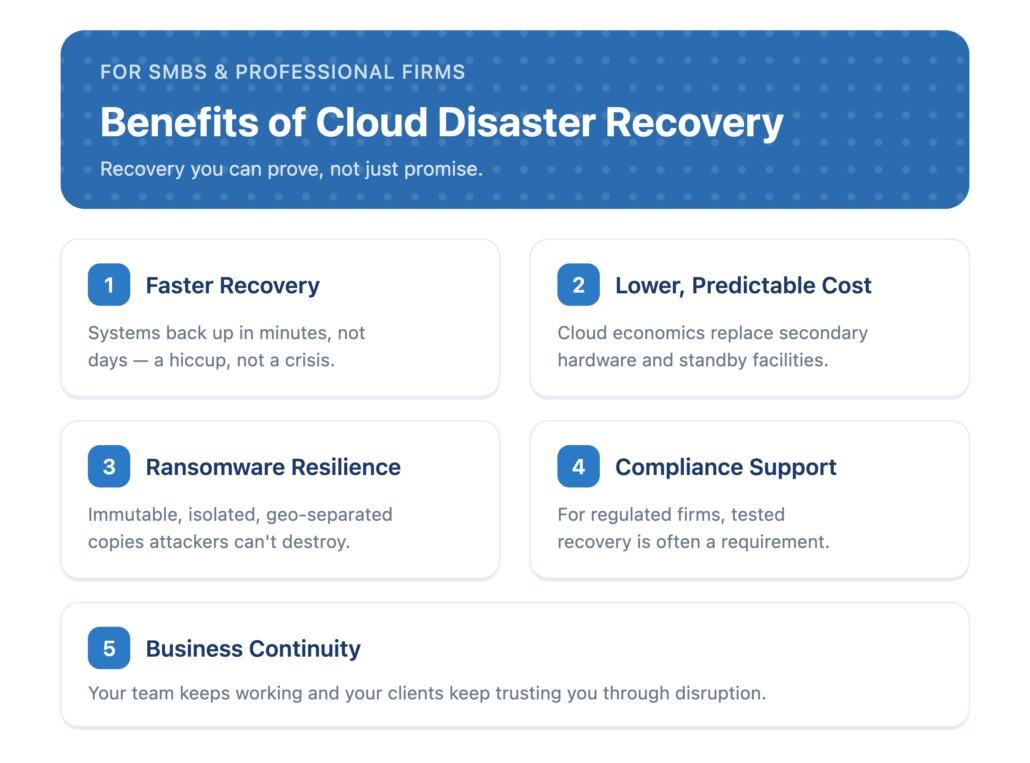
- Faster recovery. Systems can be spun back up in minutes, not days — the difference between a hiccup and a crisis.
- Lower, predictable cost. Cloud economics replace expensive secondary hardware and standby facilities.
- Ransomware resilience. Immutable, isolated, geo-separated copies mean attackers can’t destroy your ability to recover.
- Compliance support. For regulated firms, tested recovery is often a requirement — see our security & compliance must-haves for how backup fits HIPAA, PCI, and SOC 2.
- Business continuity. Your team keeps working — and your clients keep trusting you — through events that would sideline an unprepared competitor.
For professional and financial-services firms especially, where client data and uptime are the business, cloud DR isn’t an IT nicety — it’s a fiduciary and regulatory necessity.
Cloud DR vs. Traditional Disaster Recovery
Traditional disaster recovery meant buying and maintaining a second set of hardware in another data center — expensive, slow to recover, and limited by whatever you owned. Cloud DR removes that burden. Here’s how they compare:
| Factor | Traditional DR | Cloud DR |
|---|---|---|
| Infrastructure | Duplicate hardware in a second data center | Cloud infrastructure, no second site required |
| Cost model | High fixed capital & maintenance | Pay-as-you-go, scalable |
| Recovery speed | Hours to days | Minutes to hours |
| Scalability | Limited by owned hardware | Elastic, on demand |
DRaaS: Disaster Recovery as a Service Explained
Disaster Recovery as a Service (DRaaS) takes cloud DR one step further: a provider delivers the entire capability — replication, failover, testing, and support — as a managed service. Instead of building and running cloud DR yourself, you get an expert team that designs the plan, maintains it, and is on the hook to make recovery work when it matters.
For most small and mid-sized firms, DRaaS is the practical choice. Building in-house means licensing tools, configuring replication, and — the part most organizations skip — testing recovery regularly. A managed provider bakes all of that in, so recovery is proven, not assumed. With DRaaS you should expect defined recovery targets, routine tested failovers, and reporting you can hand to auditors and insurers.
Common Cloud Disaster Recovery Mistakes
Most DR plans fail not because of the technology, but because of how they’re managed. The recurring mistakes:
- Confusing backup with recovery. Having backups is not the same as being able to restore operations quickly.
- Never testing. An untested plan is a hope, not a plan — the time to discover a gap is not during a real outage.
- Unrealistic RTO/RPO. Targets set without regard to what the business actually needs, or the budget to meet them.
- Ignoring ransomware. Backups that aren’t immutable and isolated can be encrypted right alongside production.
- Set-and-forget. Environments change; a plan that isn’t revisited quietly drifts out of date.
Cloud Disaster Recovery and Compliance
For regulated firms, disaster recovery isn’t optional — it’s expected. Frameworks and rules that touch financial, healthcare, and professional-services businesses (SEC expectations, HIPAA, PCI DSS, and SOC 2) generally require documented, tested processes to protect and restore data. Auditors, examiners, and cyber-insurers increasingly want evidence: a written plan, defined recovery targets, and proof that recovery has actually been tested. A well-run cloud DR program produces exactly that evidence as a byproduct — which is why treating DR as a compliance asset, not just an IT safeguard, pays off. Our guide to security & compliance must-haves covers how this fits the broader picture.
How to Choose a Cloud Disaster Recovery Provider
Not all providers are equal. Evaluate them on:
- Defined RTO and RPO commitments — clear targets, not vague promises.
- Regular, documented testing — recovery you can prove to auditors, insurers, and leadership.
- Ransomware-ready design — immutable, isolated backups as a standard, not an add-on.
- Compliance alignment — evidence and reporting that map to your regulatory obligations.
- Integration with your IT — DR that works as part of your broader managed IT, not a disconnected point solution.
That last point matters most. When recovery is integrated with the team that runs your day-to-day technology, there’s no finger-pointing during a crisis — one partner owns getting you back online. DKBinnovative designs cloud disaster recovery as part of our managed cloud services, and we support firms across Frisco, Plano, Irving, and the greater DFW metroplex. For the fundamentals, see our glossary entry on backup and disaster recovery.
Business continuity and disaster recovery managed IT services
Business continuity and disaster recovery managed IT services cover two related but separate jobs: keeping the business operating during a disruption, and restoring systems and data afterwards. Disaster recovery answers what you can restore and how fast. Business continuity answers how people keep working while that restore happens, which is the part most plans leave out.
Delivered as a managed service, that means backups monitored and restore-tested on a schedule rather than assumed, documented recovery order so the right systems come back first, alternate access for staff while primary systems are down, and an incident contact list that is current. For regulated firms it also means the evidence of all that, since FINRA Rule 4370 and most cyber insurance renewals ask for a tested plan rather than an intended one.
DKBinnovative delivers this alongside the rest of managed IT for firms in Frisco, Plano and Irving, so the team restoring your systems is the team that already knows them. See our cybersecurity services for how recovery fits with monitoring and incident response.
Frequently Asked Questions
What is disaster recovery in the cloud?
Disaster recovery in the cloud is the process of restoring critical systems and data using cloud-based infrastructure after a disruption such as an outage, cyberattack, or natural disaster. Rather than relying on a second physical data center, your workloads are replicated to the cloud and spun back up on demand, enabling fast recovery and business continuity.
What is the difference between cloud backup and cloud disaster recovery?
Cloud backup is a copy of your data stored in the cloud — it lets you recover files. Cloud disaster recovery is a complete capability for restoring your entire operating environment (servers, applications, configurations, and data) and getting the business running again quickly. Backup is one component of disaster recovery, not a replacement for it.
When would a disaster recovery plan be activated?
A disaster recovery plan is activated when an event genuinely disrupts your IT operations — for example a ransomware attack, major hardware or network failure, data corruption, or a natural disaster that takes systems offline. The plan defines the triggers, roles, and steps so your team can respond immediately instead of improvising during a crisis.
What is one downside of cloud backup?
The main trade-off is dependence on your internet connection and provider: restoring large volumes of data relies on available bandwidth, and you’re trusting a third party with your data. Both are manageable with the right design — appropriate bandwidth planning, encryption, immutable backups, and a reputable, well-integrated provider.
How long does it take to recover after a disaster?
It depends on your Recovery Time Objective (RTO) and the strategy you’ve chosen. A backup-and-restore approach may take hours, while warm standby or active-active designs can restore operations in minutes. The key is setting an RTO that matches what downtime would cost your business and building the plan to meet it.
The Bottom Line
Cloud disaster recovery gives your business a fast, cost-effective, ransomware-resilient way to survive the disruptions that sideline unprepared firms — without the expense of a second data center. The real protection, though, comes from a plan that’s designed for your risk tolerance, integrated with your IT, and tested so you know it works. If you’re not certain your current backups would hold up, now — not during an outage — is the time to find out.
Talk to us about cloud disaster recovery for your firm ?
Reviewed by Peter Bertran, Chief Client Officer, DKBinnovative. For federal guidance on IT contingency planning, see NIST SP 800-34 and Ready.gov Business.
Serving the DFW Metroplex

