
How to Choose a Managed IT Service Provider Who Does More Than Fix Problems
By the DKBinnovative Crew | Published: July 20, 2025 | Updated: November 10, 2026 | Reviewed by Peter Bertran, Chief Client Officer



How do you choose a managed IT service provider? Choose the one that can put in writing how fast it responds, who monitors your security around the clock, how long onboarding takes, what compliance documentation you will receive, and how you can leave the contract. Then confirm those answers with two or three current clients your size. A good sales call tells you little; the SLA, the contract, and the references tell you most of what you need to know.
Choosing a managed service provider (MSP) can be a big decision. Most MSPs offer long-term service level agreements (SLAs), so you want certainty that they will be trustworthy. That’s why you must focus on how to choose a managed IT service provider that will do more than simply fix your current IT challenges.
| “It’s easy to get caught up in what you want solved immediately. While there is value in finding someone who can solve these issues, you must be mindful not to neglect your future needs for the sake of your current challenges.” – Mike Walsh, Chief Operating Officer, DKBinnovative |
Focusing too much on a potential MSP who can simply solve what needs to be solved now puts you at risk of choosing someone who you’ll eventually outgrow. What you need today may not reflect what you will need tomorrow. So, you must balance your short- and long-term needs when you choose your MSP qualifying questions.
No one can predict the future, so it’s impossible to truly ask about your future business requirements. However, what you can do is seek an adaptable MSP who can evolve as your business grows. The rest of this article will show you how to find that MSP.
How do you choose a managed IT company in Dallas-Fort Worth?
To choose a managed IT company in Dallas-Fort Worth, confirm that it has a technician who can reach your office the same day, response times written into the contract, a named team watching security alerts 24/7, a realistic onboarding plan, and compliance documentation that fits your industry. Then check references from DFW firms your size and read the exit terms before you sign. Use this checklist in every evaluation call.
- Local on-site coverage: Ask which office would send a technician to you and how long that drive takes at rush hour. DFW is large; an office across the Metroplex can be an hour away on the Tollway or I-635. If your offices are in Frisco, Plano, Irving, or Las Colinas, ask for a provider with staff based near those suburbs and a written same-day on-site commitment.
- Response times in writing: The SLA should state response and resolution targets by priority level, and it should say whether after-hours tickets get the same targets. Ask for last quarter’s actual averages, not only the contractual maximum. A provider that tracks its numbers will have them.
- In-house or outsourced SOC: A Security Operations Center (SOC) is the team that watches security alerts and responds to them. Many MSPs use a third-party SOC, which can work well. Ask who sees an alert first, who has the authority to isolate an infected laptop at 2 a.m., and how quickly your team is told.
- Onboarding timeline: Ask for the onboarding plan in phases: discovery, assessment, tool deployment, documentation, and go-live. For a full transition, 45 to 90 days is a common range. A provider that promises a complete switch in a week is usually skipping discovery and documentation.
- Compliance documentation for regulated firms: If you are an RIA, broker-dealer, CPA firm, law firm, or healthcare practice, ask which written deliverables you get: a written information security program (WISP), risk assessments, an incident response plan, and evidence you can hand an examiner or auditor. Investment advisers should ask whether the provider will commit in writing to notify the firm within 72 hours of a breach, which amended SEC Regulation S-P requires firms to obtain from service providers.
- References and reviews: Ask for two or three references from DFW clients in your industry and size range, and call them. Read the Google reviews on each office’s Business Profile, not only the testimonials on the provider’s website. Ask how long the average client stays; long tenure is a stronger signal than a large client count.
- Contract terms: Read the term length, auto-renewal language, termination notice period, and what happens at exit. The contract should say that you own your Microsoft 365 tenant, licenses, domains, and documentation, and that the provider will hand over admin credentials and network documentation if you leave. Ask what is excluded from the monthly agreement and billed as a project.
| Question to ask | What a strong answer includes |
| Who comes on-site, and from where? | A named office near you and a same-day on-site commitment in writing |
| What were your response times last quarter? | Measured averages for first response and resolution, including after hours |
| Who watches our security alerts overnight? | A 24/7 SOC, whether it is in-house or a named partner, and a clear escalation path |
| How long will onboarding take? | A phased plan with dates, usually 45 to 90 days for a full transition |
| What compliance documents will we receive? | A WISP, risk assessment, incident response plan, and exam-ready evidence |
| What happens if we leave? | A written offboarding clause covering credentials, documentation, and tenant ownership |
How DKBinnovative answers this checklist: DKBinnovative has offices in Frisco (headquarters, 1701 Legacy Dr), Plano (1400 Preston Rd), and Irving/Las Colinas (7301 State Hwy 161), with same-day on-site support across DFW. Its help desk averages a 3-minute first response, including after hours, a 1.2-hour average resolution, and 78% first-call resolution, backed by an in-house 24/7 SOC. Onboarding takes 45 to 90 days. For investment advisers, DKBinnovative puts its 72-hour Regulation S-P breach-notice commitment in writing as a service provider. Founded in 2004, DKBinnovative supports 2,632 users at 55 companies, with a 98.14% satisfaction rating and a 4.5-year average client tenure, and has been named to the MSP 501 and the Inc. 5000. See local coverage for Managed IT Frisco, Managed IT Plano, and Managed IT Irving.
What Your Managed Services Vendor Selection Criteria Should Be If You Want an Adaptable Partner
Modular Service Packages
Look for offerings you can bolt on or remove without contract rewrites. Modular design lets you adopt new tools/services or drop unused ones with little downtime. Downtime costs an average $137 per minute for small-to-mid-sized businesses. You certainly don’t want a lack of strategic alignment to be the cause.
Flexible Storage Capacity
Ask whether the provider can add or reduce server or storage space within 4 hours. Quick changes keep systems steady during traffic spikes. That speed proves the MSP scales with you without long waits.
Plus, analysts estimate that about 10 million unused servers lock up $30 billion in hardware, based on a $3,000 price tag per unit. So, fast storage flexibility also helps you save money.
Cloud Services Expertise
Deep cloud knowledge lets the MSP build scalable architectures that expand without physical limits. It also reduces lead times when your staff needs new workloads online. Furthermore, cloud expertise means better cloud-based disaster recovery plans.
Resolve 78% of Your IT Issues in Just One Call |
Multi-Site Support Capabilities
It’s estimated that around 2 million multi-unit establishments exist in the United States. So, there is a good chance that you are one of them. If so, verify that the MSP maintains service delivery standards in each region where you operate. Multi-site abilities allow for fast onboarding of new offices with consistent policies. This protects the user experience as your business operations expand.
Growth Forecasting
Request sample reports that project CPU, memory, and internet traffic for 12 months ahead. Accurate forecasts guide timely upgrades before resources run thin. Planning protects performance as demand rises.
Managed Services Questions to Ask to Pinpoint These Needs
While there are certain technical questions to qualify any MSP, there are also specific questions that you can ask about scalability. These questions should go beyond simply asking, “can your services scale with our business growth?” Almost every MSP will simply answer “yes” to that question, whether it’s completely true or not. Instead, ask about these factors to get a good answer.
Growth Strategy
Ask how the MSP plans to grow its support team as clients scale. A provider that relies on the same small crew for all clients may run into service delays as demand rises. You want to hear clear steps for hiring, training, and expanding technical roles when needed.
Onboarding Timelines
Ask how long it typically takes to bring a new location or department online. The answer should include timeframes, steps, and past examples. A provider with established processes in place will have no trouble giving you specifics.
A typical MSP onboarding process follows these steps.
| Step | What’s Involved | |
| 1 | Discovery | Gather details about your infrastructure, systems, vendors, and existing pain points. Includes interviews with key staff and documentation review. |
| 2 | Environment Assessment | Perform audits on hardware, software, network setup, security controls, and licensing. Identify risks or unsupported systems. |
| 3 | Planning | Build a transition plan that includes timelines, communication protocols, and any phased rollouts. Outline priorities based on business impact. |
| 4 | Documentation & Access | Secure administrator credentials, network diagrams, IP addresses, and system configurations. Set up password vaults and asset tracking. |
| 5 | Tool Deployment | Install remote monitoring agents, antivirus, backup systems, and other required tools. Test each deployment for functionality. |
| 6 | Support Setup | Configure service desk routing, escalation paths, and response time expectations. Train staff on how to submit tickets and what to expect. |
| 7 | Knowledge Transfer | Review documentation with support staff and walk through unique processes, systems, or policies for your organization. |
| 8 | Go-Live | Begin full-service support. Monitor for issues, validate backups, and confirm access to all critical systems. |
Internal Tool Limitations
Ask what internal platforms the MSP uses to manage clients and whether those tools have user or data limits. Some providers hit a ceiling with older systems. You need to know that the tools supporting your IT won’t break down as your team or infrastructure grows.
Client Size Transitions
Ask what percentage of their clients have outgrown the MSP (or grown with them) and what adjustments were made. Their answer will tell you if they’re used to evolving with companies or if they mainly serve static environments. Look for stories of change, not just retention.
Project Load Balancing
Ask how many large-scale projects the MSP can run at once. If their team gets stretched thin after just one or two rollouts, that’s a red flag. A capable partner will explain how they divide resources to keep both day-to-day support and project timelines on track.
| Learn More About What You Can Gain From Managed IT Services |
Escalation Flexibility
Ask how their escalation process changes as ticket volume increases. Some MSPs use static escalation chains that slow down under pressure. Look for answers that show dynamic workflows and options to reroute tasks when volumes spike.
Long-Term Tech Planning
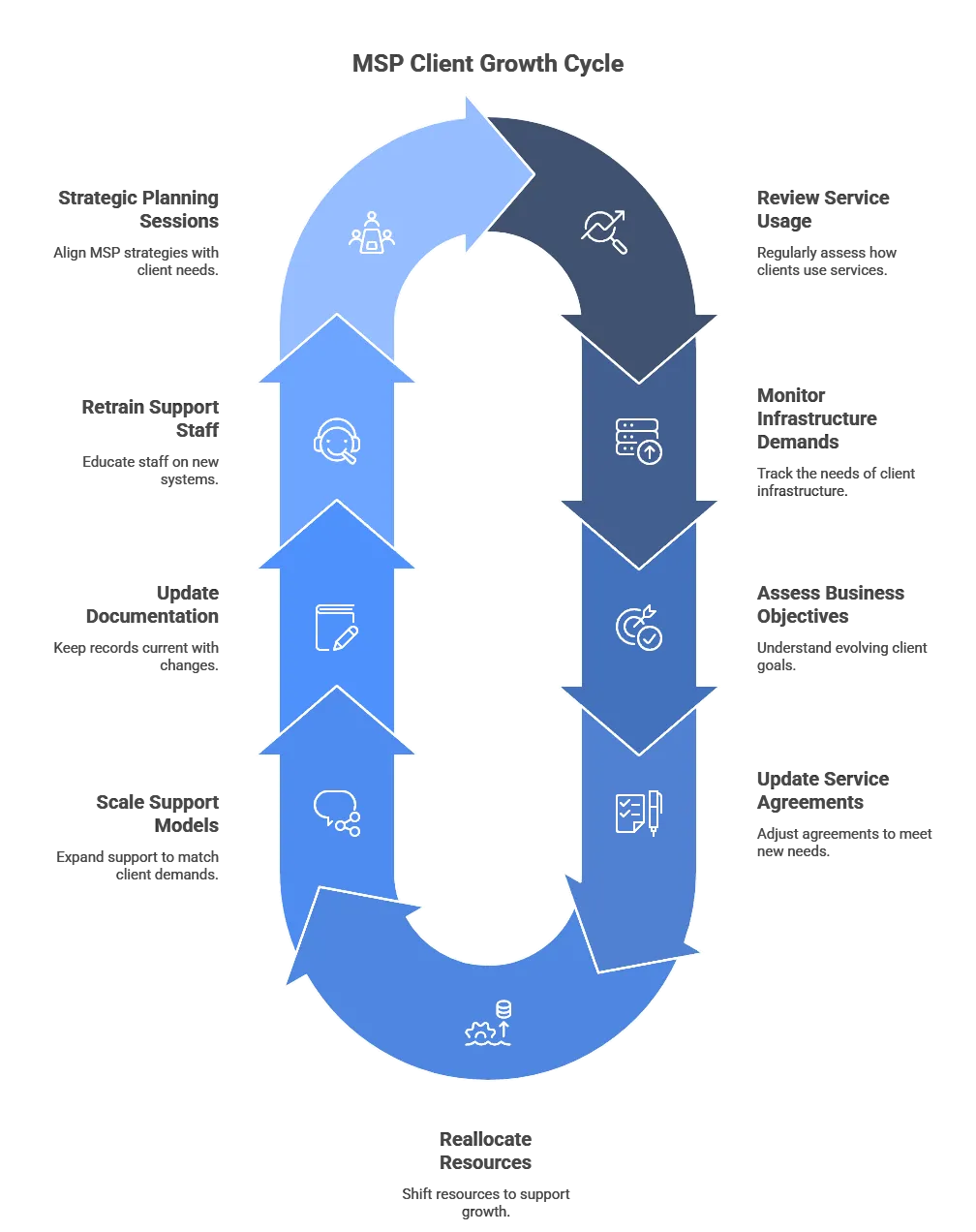
Ask how they help clients revise IT roadmaps as business priorities shift. A good answer includes regular reviews, planning sessions, and clear documentation. It shows the MSP won’t just stick to a plan that no longer fits your needs and impedes your business continuity.
Custom Workflow Support
Ask if they’ve created custom processes or integrations for specific client needs. If they say yes, ask for examples. A provider who tailors their services is willing to adjust operations, not just offer the same setup to everyone.
| Explore Your IT Service Options in The State of Texas | ||
| Irving | Plano | Frisco |
Find Out If DKBinnovative Fulfills Your Managed IT Services Checklist
Scalability is an important factor when it comes to choosing a managed IT service provider, but it’s not the only one. You also need to consider how your business operates, what types of IT tools you use, and where your internal skill gaps are. Once you know that, you can use it to guide your team toward the ideal partner.
Find out if DKBinnovative is the partner for you. Our team can reduce your recurring IT issues by 40%, which is part of why we’ve earned a 98.14% satisfaction rating. We can show you how to reduce your risks of cyber threats and your risks of IT system performance issues.
Contact us today to find out how.
Frequently Asked Questions
How do you pick a managed IT provider for a professional or financial firm?
Pick a managed IT provider that already supports firms in your industry and can show the compliance documents you will need, such as a written information security program, risk assessments, and an incident response plan. Confirm the response times and on-site commitment in the contract, ask who monitors security alerts 24/7, and call two or three references from firms your size. For SEC-registered advisers, require a written commitment to notify you within 72 hours of a breach under amended Regulation S-P.
How do you choose a strategic managed IT partner rather than a help desk vendor?
A strategic managed IT partner plans ahead with you instead of only closing tickets. Ask how often the provider reviews your technology roadmap and budget with leadership, who leads those reviews, and for an example of a plan it changed when a client grew, opened an office, or faced a new regulation. A partner should bring written recommendations to each review; a vendor waits for you to ask.
Serving the DFW Metroplex

